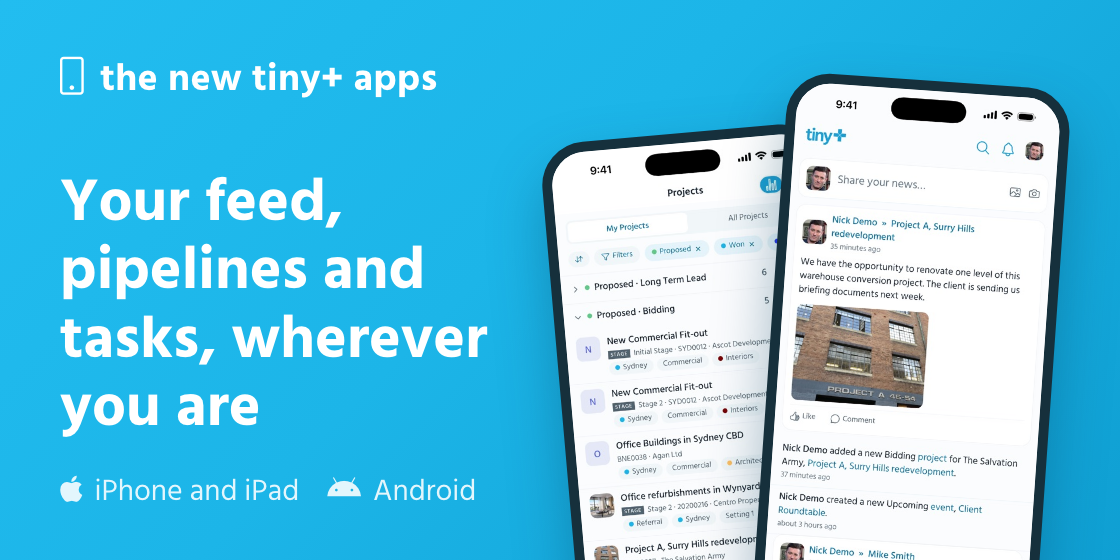
The new tiny+ apps for iPhone, iPad and Android are here, rebuilt from the ground up. They’re faster, and they do far more of what you do on the web. Both are free, and you sign in with your usual tiny+ login.
What they do
- Keep up with the firm. The news feed is the home screen. Read what’s happening, like and comment, and post an update with a photo. You get a notification when someone mentions you, replies to you, or gives you a task or a meeting.
- Work your pipelines. Projects and clients are listed stage by stage, as a list or a board. Open a project and move it to the next stage.
- Be ready for the meeting. Look up a company or a contact on the way in. Their phone number and email are a tap away, and the feed shows what was said last.
- Keep on top of your day. Your tasks, meetings and events are in the app, with your calendar.
- Keep relationships on schedule. The follow-ups due on your relationship plans are listed, and you log what happened from the plan.
- Ask. On a Pro account with Ask on, type what you want in plain English, such as “proposals over 200k in Sydney”.
Confidential records, roles and permissions work exactly as on the web. The app shows you what you can see there and no more.
Getting it
Both are available now, on the App Store and on Google Play.
The quickest way onto a phone is the Our apps page, under the help menu in tiny+. Point the phone’s camera at the code and the store opens.